


|

|
Hide Volumes: New Feature Helps Find Your Preferred Mobile Puzzles Easier and FasterSunday, March 13, 2016
A new feature will help you find the puzzles you want on Conceptis apps easier and faster by letting you hide any volume in your library. An update to Conceptis Fill-a-Pix including the new feature is already available on App Store. Updates to all other Conceptis iOS and Android apps will be rolled out soon. The update also contains a new setting which automatically excludes iPad-only volumes from an iPhone library. Swipe left on any volumeTo start organizing your Fill-a-Pix library, update the app, then swipe left on any volume in your library and tap "Hide", as shown below. To restore a hidden volume, tap "Hidden" in the top menu, swipe left on the desired volume and tap "Unhide". 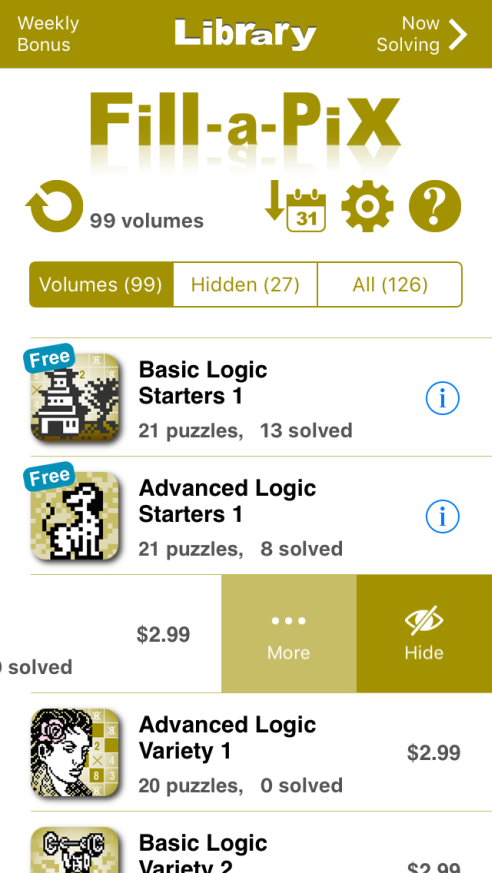
Like the new features? Tap Help » More » Rate and review and support Conceptis by rating and reviewing the new version on the AppStore. Thank you for your support!
Like and share |


